Overview
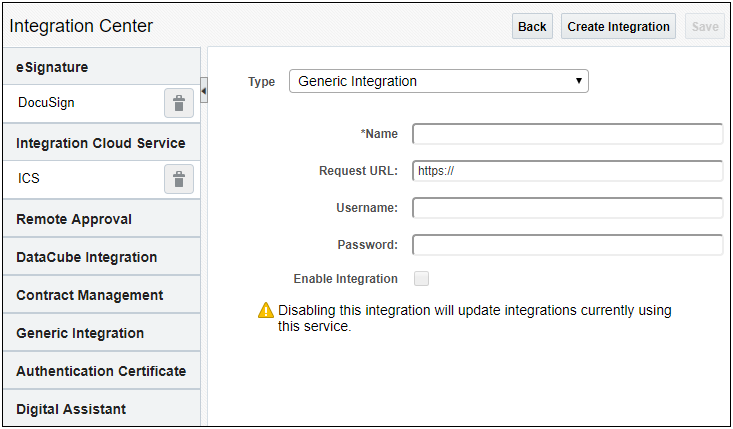
This integration type defines a connection to an arbitrary third party system. Once defined, system integrators can use BML to retrieve these connection details prior to making a Web Service call to that system. Refer to Commerce Integrations for additional information.
Oracle CPQ 25C introduced the following generic integrations:
-
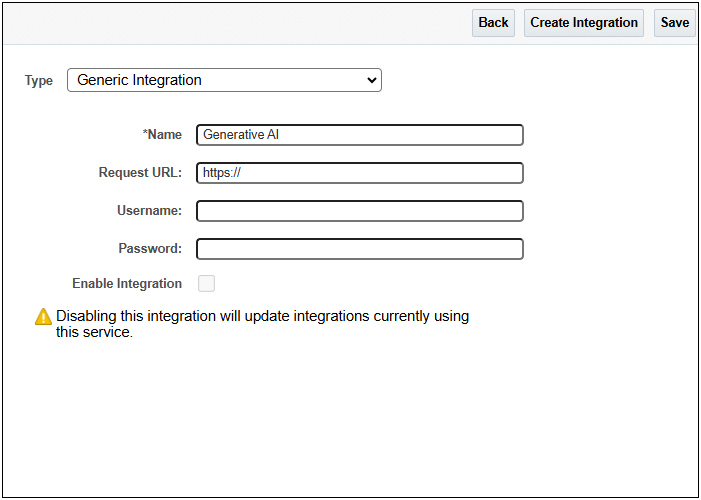
Generative AI is used to develop Generative AI (GenAI) Quote Summaries for Customer Relationship Management (CRM) integrated Oracle CPQ sites (for example, Salesforce or Microsoft Dynamics). Oracle CPQ leverages Generative AI (GenAI) to automatically generate comprehensive quote summaries. Users can then choose to use the generated quote summary when communicating with customers or internal stakeholders. The GenAI quote summaries are available for Redwood Quote UI and JET Transaction UI.
Note: Oracle Sales integrated sites do not need to create a Generic Integration to utilize Generative AI Quote Summaries. -
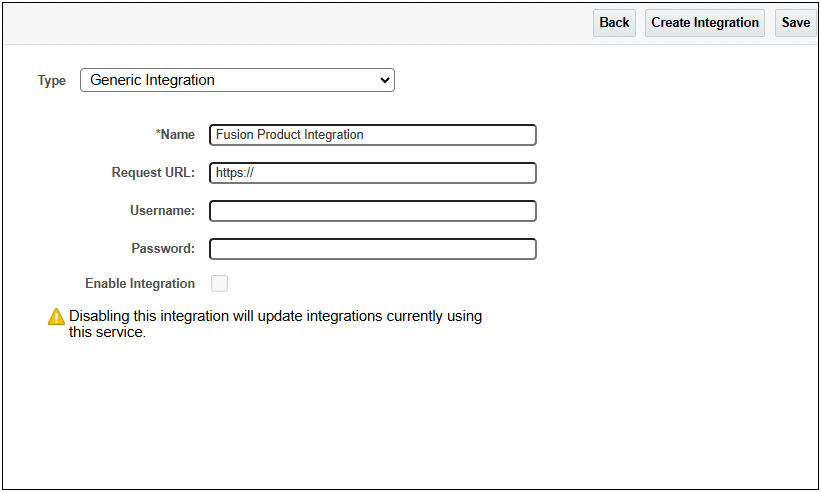
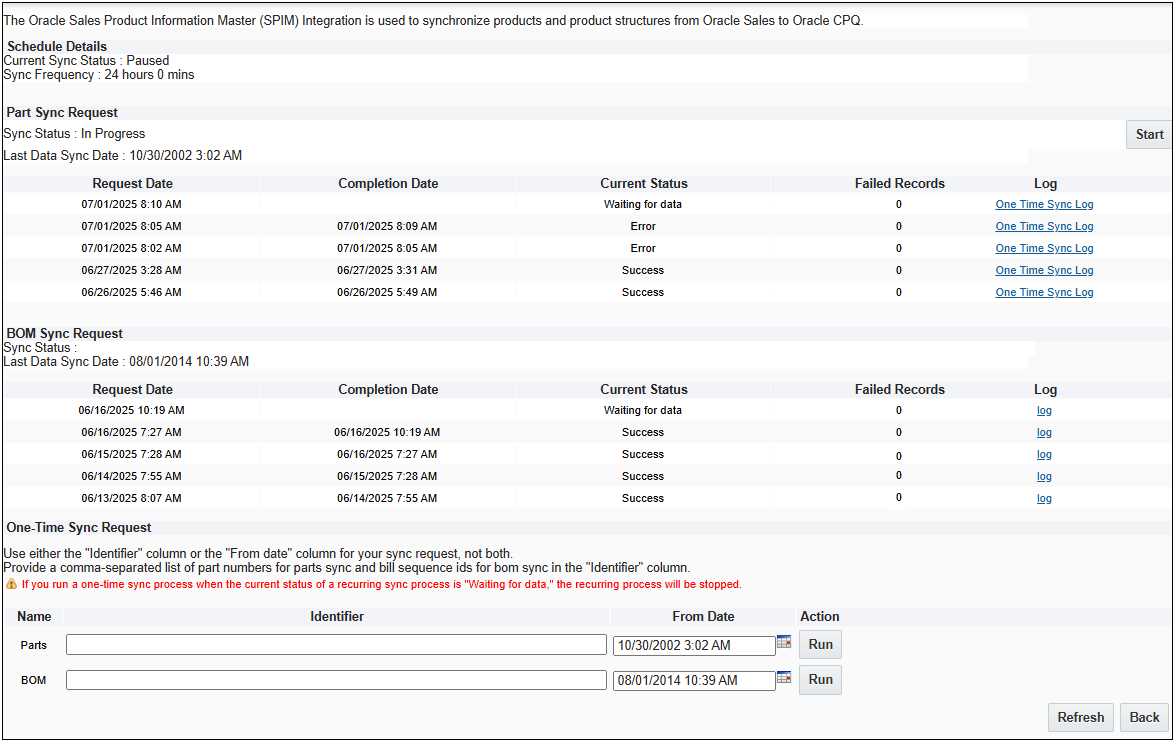
Fusion Product Integration is used for synchronizing parts and product structures for an Oracle CPQ and Salesforce integrated site. Once the connections are established, Oracle Sales Product Information Master (SPIM) integration can be used to synchronize products and product structures. Parts and BOM synchronization can be regularly scheduled or a be a one-time synchronization event.
Oracle CPQ 25D introduced a new system attribute for Parts called the Fusion Part ID. Prior to Oracle CPQ 25D, the existing Partner Part ID attribute was used as an external identifier for both Fusion Products and Salesforce Products. This introduced a limitation where CPQ could not link its Parts to both Fusion Products and Salesforce Products at once.
The Fusion Part ID field has been added as a dedicated external identifier for Fusion Product Integrations. When integrating with Fusion Products all Oracle managed and seeded product-part syncs will leverage this field as a linking attribute and external ID.
-
If you are setting up a Salesforce Products integration for the first time, you do not need to take any additional steps. Any seeded integrations will be pre-mapped to use the original Partner Part ID attribute.
-
If you have an existing Salesforce Products integration you do not need to take any action. Existing integration files and field mappings will remain unchanged and will continue to use the Partner Part ID for all flows.
-
If you are setting up a Fusion Products integration for the first time, you do not need to take any additional steps to use the Fusion Part ID. It is available immediately upon upgrade and any managed or seeded integrations will use this attribute.
If your site was provisioned prior to Oracle CPQ 25D and you have not previously set up the Fusion Products integration it is likely that the older seeded integration files will still reference the Partner Part ID field. You should modify these files to use the Fusion Part ID prior to enabling the integration. -
If you have an existing Fusion Product integration setup on your site, the values stored in the Partner Part ID attribute will be copied to the Fusion Part ID attribute at the time of upgrade. Any Oracle managed integration flows will begin using the Fusion Part ID immediately. Any previously seeded Fusion integration files - those that were provided to sites provisioned prior to 25D - and custom integrations will continue to point at the old Partner Part ID.
To ensure that both patterns continue working without disruption we have provided a new setting on the Configuration Settings page called Update Partner Part ID with Fusion Part ID value. This property will ensure that the Fusion Part ID and Partner Part IDs are the same. Any updates to the Fusion Part ID as part of Fusion Product syncs will propagate to the Partner Part ID.
The Update Partner Part ID with Fusion Part ID value will be set to Yes at the time of upgrade if you have a Fusion Product integration defined and do not have a Salesforce Product integration set up. If you wish to set up a Salesforce Product Integration and a Fusion Product Integration up at the same time, this must be set to No. You must also refactor any existing Fusion Products integration files and custom integrations to use the Fusion Part ID exclusively. Refer to Configuration Settings > Options - Unified Products Sync.
- Salesforce Product integrations will continue using the existing Partner Part ID attribute for Parts Syncs. There are no changes in behavior for Salesforce Product integrations.
- The Fusion Part ID field should not be used to store any information other than Fusion Product IDs. Doing so may cause upgrade issues and integration issues with other Fusion applications.
- The Update Partner Part ID with Fusion Part ID value setting is a one-way sync. It will copy the Fusion Part ID to the Partner Part ID. It does not work the other way; any updates to the Partner Part ID mapping will not propagate to the Fusion Part ID.
- The Update Partner Part ID with Fusion Part ID value setting will only be available for existing customers who already have a Fusion Product Integration defined. New customers and customers only using a Salesforce integration will not see this setting.
- All customers with an existing Fusion Products integration that leverages the Partner Part ID should consider updating those integrations to leverage the Fusion Part ID exclusively to ensure that you can take advantage of future enhancements.
-
Administration
 Set Up a Generative AI Generic Integration for Non-Oracle CRM-Integrated Sites
Set Up a Fusion Product Information Generic Integration for Salesforce Product Synchronization
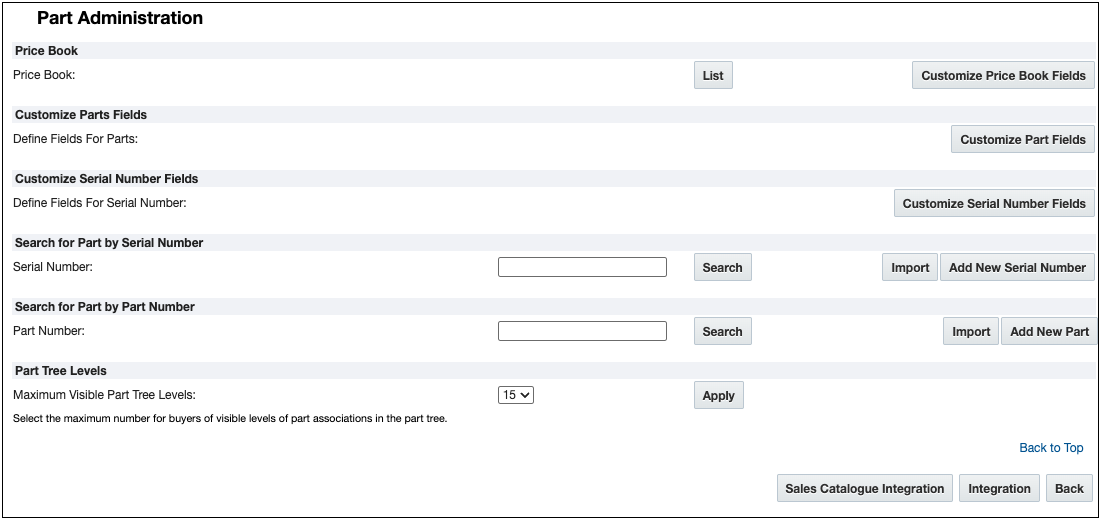
NOTES
After the Generic integration has been created, the details can be retrieved using BMQL and used in a BML integration to send messages to the external service. Example BMQL is provided below.
intSettings = bmql(“select username, password, requestUrl FROM integration.genericIntegration WHERE name = $intName");


